This review expertly distills complex calculator operations into a streamlined workflow, making it an indispensable resource for exam-day efficiency. It empowers students to move beyond rote calculation and master Desmos as a sophisticated analytical tool.
Install our extension to search inside any video instantly.
AP PreCalculus DESMOS Quick ReviewAdded:
Hey, welcome. This is Mr. Kelly and I'm going to do a quick review to teach you everything you need to know for Desmos so you can ace your AP pre-calculus exam. Please make sure you're going to this version of Desmos down here so that you get the exact same version that'll be inside Blue Book when you take your exam. Okay, let's get started. Well, we all know that AP pre-calculus deals in radians, right? So, I'm going to go over here to the wrench and make sure that we are in radians. Yes, we are. If you're going to the right version, you should be good to go. Other things we should know about. Well, if you want, you can put some arrows on your axes or you could reverse the contrast or make, you know, the font a little bigger if you want to. But for the most part, we're just going to stick with everything the same, making sure that we are in radians. And I'm going to check it by putting in y equals the s of x. And when I do that, let's pull that up. I can notice that we have a nice sign curve here. Where does it cross? Well, it crosses at 2 pi 0. That makes sense because we're in radians, right? And that ver that value right there would be 360 if we are in degrees and again we don't want to deal with that. Okay. So the next thing we're going to do is we're going to learn how to use our order of operations because that's really important in Desmos. Suppose you have this example right here where you want to do x + 3antity^ squared. In Desmos I like to use shortcuts. But I am going to show you this keyboard down here. The keyboard tells you lots of things you can do in functions. You have so many choices. Look at all that stuff.
So, if you're looking for something, it's probably in there if you need it.
But I said I like my shortcuts, and I do. So, I'm going to come up here and type y equals with a parenthesis x + 3.
And then I'm going to use above the six is a little upside down V. That's called a carrot. And when you do that, it just puts you up into the exponent. And we get y = x + 3^2. The biggest mistake that I see is that students will put without parentheses x + 3^2 and they think that that is going to graph some quadratic. But look, all you're doing is squaring the three. You get a nine and you get the line y = x + 9. That's not the intention. Next, suppose we get this example right here. This is a rational function that has a numerator and a denominator. How would we put that in?
Well, first let's make note that I will use function notation this time. Instead of y, I'll use f ofx. So f ofx will equal and then I'm going to come down here uh and I'll just say divided by, right? Because that's what a fraction bar is. On top, we'll say x + one. on the bottom x -2 and voila we have our nice function right here. We can drag it around and we can see where the asmtote would be. Check that out. That's very nice. Okay. And then one of the benefits in using function notation here f ofx is that in the next line if we wanted to evaluate that at a certain point we could just say f of three right and then that would tell us when uh x equals 3 we get a value here that's four. You can see that the four is right there. Now the most common mistake that I see students do is when they type this in they will say uh f ofx= x + 1 overx and then minus2. And you notice how that is not the same as the function we have in the screen down there. This is completely different in why cuz they didn't use their grouping symbols. Now I started that example at the top by saying divided by right. You could also just use parentheses. So, if you wanted to, you could say f ofx equals uh x + one. Put that in parenthesis divided by I would use divided by hey, look at that. It did it anyway. x - 2 just to be sure that you have the top and the bottom correct. And check that out.
We're good to go. Next, let's talk about one of the fastest things we can do in Desmos is find points of intersection.
And you know what's nice? We have this red function here and the blue function.
And uh you know to find a point of intersection all you have to do is basically just kind of get there hover and click on it and it'll tell you the point of intersection. Now where this is nice is if you have to solve an algebraic equation you can just set each side equal to each side of the equation.
You can set it f ofx equal or y equals and then you can find the point of intersection. You just have to be careful that there's not another point that might be off the screen. You might want to zoom out just to see what's going on. Um, but you can solve equations that way for the entire AP test when you're allowed a calculator.
Now, what other kind of things can we do? Well, look, zeros are very important in this course, right? And I can see that there's a zero right here. So, I'm going to click on it and it's going to tell me, yeah, 1 zero. That's a zero of this function here. We have a zero it looks like or a minimum. I can zoom in here. It looks like a zero, right? So, I can find right here is a zero, one comm, zero. So, we can find zeros. We can find points of intersections. We can find minimums. We can find maximums. All of that's possible with Desmos. For our next example, let's do one that's a little bit trickier. Let's do y equals x cubed and we'll say minus 40x. All right. That's a nice little function. If you're looking at your Desmos right now, all you see is this line kind of come down here like that. All right. So, when you zoom out a little, you can kind of see that we have a function. It's cubic, right? We should know what that looks like. We got a maximum up here. I can kind of find that maximum by clicking. I can find that minimum. But a lot of times we want to make this a lot friendlier. We have our zeros there.
Look, I don't use the x-axxis from negative. Like what is that right there?
That's 10. All right, let's go over here and let's click on the wrench here and let's change our x-axis. We'll change this to -10 to 10. And then notice when I do that, the x-axis has been changed for us. And you can zoom out a little bit if you want to or you can do that manually with uh you know by I like to zoom out and then actually do it manually. So I notice that I don't pass negative 100. I don't pass positive 100.
But I can probably look from -10 to 10.
So I can come back here and reset these.
And if you notice, I I use these bounds that we looked at the graph and we found. And if you wanted to, you could change the scale. That's the step right there. But let's check it out. Let's see what we have. I have a nice graph right here where I can find maximums if I need to. I can find minimums. I can find zeros. It looks like we have three zeros here. And we have decimal points.
Remember, when we're using decimals, we're going to go out three decimal places here. You can either truncate it, which means you can just cut it off or you can round it if you want to. Either choice. So, next, let's dive into the tables that are in Desmos, cuz sometimes those tables, man, they're quick. They can get a lot done. So, let's put in a function. They give you a function.
Let's make it, I don't know, let's do uh 3 * 1.2. We'll use a little character and get it up. Oh, we want it to the x power. That's an exponential equation, right? some function that we have to deal with. And maybe uh like in the FRQs, they ask you to find the average rate of change. Well, listen. Here's how we're going to do that. We're going to put in a table. You hit the plus sign, you go to table, right? And instead of x1 and y1, what I'm going to do is just change that to x. And I'll just change this to f ofx cuz those are the different variables that I used up here.
And what's nice about that is I can now type in a bunch of numbers. And uh it'll figure it out for me, right? So, we have 2 3 4 5. I put 67. But maybe they want you to find the average rate of change.
So to do that, remember how we do that?
Uh average rate of change is just the slope, right? So let's do the average rate of change between 2 and 5. So I'm going to set it up exactly like this.
I'll hit divided by and then I'm going to type f of 5 minus f of two. And I'm going to put it all over 5 minus 2. They can definitely ask you to do that. And look, you get your average rate of change right there. Now when you write this out on your FRQ's I would write this part with a function notation and then in the next step I would write what f of five equals which is in your table.
So it's not hard. It's right there. Just go out three places right for f of five and f of two and then you can find your total average rate of change down here.
So that's how a table can help you.
Okay. So next we're going to look at some regression. I put this data in a new table. If you notice we have x and y and it kind of looks like this. That's great. Fantastic. Right. So to do a regression, we click this little button up here. By the way, if we want to look at our data, let's pretend like our window is really far off and we can't see it or maybe we're off the screen or something like that. If we just click this magnifying glass, it's a zoom fit and it will change your window from 0 to 10 and then out to six so that you don't have to worry about monkeying with the window. That's a nice little feature.
But let's make that equation. The default is linear regression. So you notice that this kind of forms a line where we have, you know, like a negative correlation down here. Uh we have an equation. If you want to work with that equation, you can click that button right there. Gives you a snapshot. And what I recommend doing is changing that to f ofx. That way if you ever want to input a value into it, you can do that and it'll tell you what the output value is. But we don't want to do that. What we want to do really is look at a different type of regression. This is clearly not linear. To me, it looks like it's a sign curve. So I'm going to go down and choose that. And if you notice, we have a nice looking sign curve here.
And we have a value of A, B, C, and D that are approximated. Now, you have to be careful your FRQs. You probably have some things that are in terms of pi. So, you're going to have to work those out by hand, but I mean, you could verify your answers with this. Uh, we're looking at the plots of a residual.
Sometimes we need to look at that, right? So, when I click that plot up here, we get the residual values. That one is not very good at all. Uh, but looks like I just made this data up. It looks actually pretty sinosoidal to be uh to be clear. Let me change one of these and see what happens. Oh, I made a typo. And now you're a little bit off on the upside of it. But anyways, I digress. We're talking about uh zoom fit here to the residuals. And here's my residual plot, which is awfully familiar to the sign curve. That is a coincidence.
But we can export this equation here.
Why? And when we're using a tilda, then the tilda tells us that this is uh this is a a regression equation that is approximating the data for us. Okay, but I don't even see that. So I'm going to come back up here. We have y1. I'm going to hit zoom fit. And then my graph comes back there. That's how you can do regressions in Desmos. Okay, so the next thing I'm going to show you how to do is how to solve equations. And this one's pretty ugly. It says sin^ square of 2x= 3/4. Now this one's got a little trick, right? because we're saying that the sign when you squared it was positive 3/4s. So that means that the sign could have been negative and it could have been positive. So I'm going to write two different equations for this. And if you look, I have a positive and a negative because remember when you take the square root of a squared, you have to do positive and negative. But now that I have these two different solutions or two different equations, we have the s of 2x= positive 3<unk> 34 and the s of 2x= negative the<unk> of 34. I'm going to put that into Desmos.
So, check out what I put here in Desmos.
I put the S of 2x and then a positive<unk> of 34 and a negative<unk> of 3/4s. By the way, to do square root, I didn't show you this, but to do square root, sqrt or you can use the function below. But look, we have a graph here that is the sign of 2x and we have both positive and negative. We have all these solutions, right? And they go forever.
But I'm just checking my answer. I'm solving equations. But I can zoom in here and I can find intersections between uh these two. And oh, look at that. It's showing you pi over 6. That is sweet. And it shows you negative p<unk> over 6. You can find all these solutions. Now, how do we do it by paper? I got to show you that. Okay, here we go. So, remember that the sin squar of 2x was positive radical 3/4, but when I take a square root, I get positive and negative. I'll just do the positive part and then you guys can do the negative part. But if I look here, that means the s of 2x equals radle 3 over 4 positive. So that means radical 3 over radical 4. We know that's radical 3 over2, right? So the s of 2x equals radical 3 over2. So to get rid of that sign, we're going to do an inverse sign.
So we do that inverse sign and they will kind of cancel each other out there.
I'll be left with 2x. But what is the inverse sign of radle 3 over2? The way I think about that, it's the angle. What angle has a s of radle 3 over2? So you know that's going to be two angles, right? That's going to be uh p<unk> over 3 and 2 p<unk> over 3. Whoa, I lost my work there for a second. But we get 2x.
That's what's on the inside. So 2x would be p<unk> over 3 and 2x would be 2 pi over 3. Guess what happens when we uh divide by 2? We get pi over 6. Pi over 3. Wow, Mr. Kelly's having a hard time with his writing tablet here. So going back to Desmos, look, we had pi over 6 and we had pi over where does it go? pi over 6 and we had pi over 3. And then we have to be mindful that we want future solutions as well, right? They keep going. So the next one's a 7 pi over 6.
So that seems to be pi units in front, right? Because the period isn't 2 pi.
It's only pi because we have a 2x in front of there. So you could actually figure out these solutions and kind of look forward at them and figure them all out. By the way, there's other solutions are for the negative ones, right? In the other quadrants when you divide them by two. Hey, so that's everything I have for you today. I wanted to make this video less than 10 minutes, but guess what? Fail. But hopefully you guys don't fail when you take your AP pre-calculus exam. This is Mr. Kelly. You know, I'm wishing you good luck. Remember, it's nice to be important, but it's more important to be nice.
Related Videos

Escaping the Fog
LogicLemurGaming
760 views•2026-06-03

Olympiad Mathematics | Indian | Can You Solve This One?
PhilCoolMath
650 views•2026-06-03

A Brutal Radical Expression Made Easy! The Shortcut Changes Everything.
tamoshop
112 views•2026-06-02

V : jee main /advance class 11 mathematics : Binomial Theorem class-1 ( 29 may 2026 )
dcamclassesiitjeemainsadva9953
125 views•2026-05-29

Is This Pentomino Tileable?
3cycle
241 views•2026-05-30
This Sudoku Has Many Lines!!
CrackingTheCryptic
2K views•2026-05-29

Olympiad Mathematics | Indian Can You Solve This One?
PhilCoolMath
268 views•2026-06-02
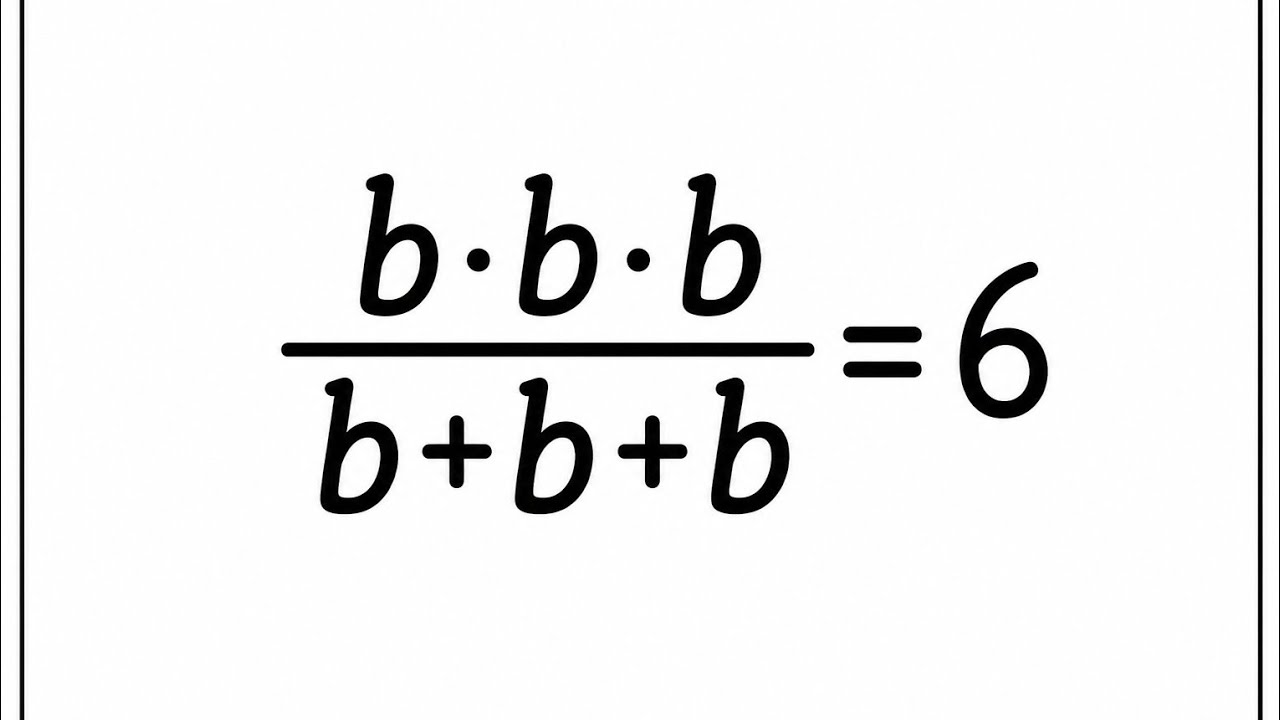
Olympiad Mathematics | Indian | Can You Solve This?
PhilCoolMath
669 views•2026-06-02



