The Hermes AI agent framework, developed by New Research, offers the most customizable and powerful approach for building always-on AI agents, featuring persistent memory across sessions, self-improving skills, and configurable personalities through soul.md files, with deployment typically recommended on cloud VPS infrastructure for continuous operation.
Install our extension to search inside any video instantly.
The Hermes Setup That Makes Your AI Agent 10x More Powerful
Added:I've built dozens of AI agents for myself and my clients through my agency and I've learned there's 10 things that you need to know when building AI agents for yourself and your business. In this video I'm going to walk through the entire build process and show you the 10 things as we're building this agent out.
When it comes to building AI agents, there's really three paths you can go down. There's the really crazy one which is build it by yourself from scratch which I don't recommend. There's using a kind of agent in a box like Claude Code or Claude Co-work or Codex. These are great because it's really easy to get started, really easy to get something done, but minimally configurable compared to the third option. And so these are really great if you don't want to do anything too fancy. If you want the agent only to work with you and not really on a big schedule. But if you want the ultimate in kind of customizability, flexibility and power really, you need to look at a always on open source configurable agent framework. And the first answer to this was always like Open Claw, right? This was the big thing around the end of the year and through kind of February when it got acquired by Open AI. But these days Hermes is by far the best agent framework for building AI agents. Okay, and so we're talking about Hermes agent.
So Hermes made by New Research. They're kind of a hacker collective turned actual organization that is putting out the best agent framework out there right now. And when you're building an agent like this, you really have two choices because one of the big parameters of this is you want this to always be on, always be monitoring and looking and doing tasks and running on schedule. So you probably don't want this on your main laptop because it might be asleep or it might be in the car or you might be on an airplane and your agent can't work when it's asleep. And so the two choices typically have been using like a Mac mini. And that's fine, but no joke, I was about to shoot this video and I was playing around with one of my Hermes agents and I updated something in the configuration file through Telegram and the agent just died. And I I can't recover it. I have to go to my office, which is like across town, tomorrow and reboot it from my Mac Mini. And so you might be like, "Craig, that's crazy. You should SSH into your computer and stuff." Well, like, that's just not the point. The point of having an agent that's always on is that it's always on.
And so I choose to run a lot of my agents in the cloud. And I think it's a really good place if you lock down security and we're going to talk about that here in a second. Okay, so let's get the cloud infrastructure set up.
Let's build our agent and then let's talk about configuring it, okay? Okay, now it's time to get our agent live in the cloud, in the real world, so we can start building and operating with it.
And for hosting, we're going to use Hostinger. They are the sponsor of this video, but they're also an amazing host and one of the first ones out there who came up with the concept of like a one-click deploy. So you don't need to go through any of the technical stuff of setting up your Hermes agent. Hostinger just takes care of it for you. And so link in the description below for this page. Choose your plan here. You want to go with the KVM 2 plan. Uh gives you just enough memory and storage uh and RAM to really effectively run a Hermes agent. So choose your plan here. And then uh I would keep with the 24-month plan cuz like we're in this for the long haul, right? We're going to use and get a lot of value out of our agent. It also gives you the best discount. You can leave all of the rest of this down here the same. Uh and if you want to use coupon code Craig Hewitt and then click apply, you can. Hit continue here and Hostinger will start building the virtual private server that your agent is going to live on and will start configuring it from there. Okay, and once you check out and provision your VPS, it'll take you to a screen that looks something like this. And so I have a couple of VPSs that are stopped here, but I have this one here that's running.
And inside this VPS we're going to install our Hermes agent. And so we'll say manage and we'll come over here to Docker manager and Docker is a way to contain or containerize a thing on a computer.
And so we're going to put our Hermes agent kind of in a box to where it can't just ruin everything because I think it is a consideration when it comes to AI agents like Hermes like hey, this thing could have just like crazy runaway access and do bad things unintentionally probably and with [snorts] Docker we kind of restrict that potential. Okay, so we're over here in Docker manager projects.
We're going to create a new one and we're going to say one click deploy. And this is why I like hosting our cuz it makes installing things like Hermes or open claw really easy. And so we'll just type in Hermes here.
And pretty interesting. I was playing around with web UI later. We're going to touch on that here in just a second.
That's one of the 10 things you need to know. It's a really great way to interface with your agent. But for now let's just get our agent installed here.
And you do want to jot these passwords and API keys down because you may need them later. Okay, so I've jotted those down in my password manager and I'll just say deploy. Again, this will just take a couple of seconds to set up and while it does it just have to tell you one of the reasons I like hosting in the cloud is you don't worry about like oh what if I lose power at the office or the dog choose the electrical cord or you know, whatever. This is not the first time here today where I've wanted to do something with an agent. It's on my Mac mini and I just can't get to it.
And with a VPS it's always there. It's always on. The the physical part of it is maintained by someone else and you can come into a dashboard like this and once this is done it's really amazing. You literally just click open and the terminal is there and it's a really easy way for you to interface with your agent. So highly recommend this. If you get more sophisticated you have maybe you want some hardware at your house where you're running local models or something. That's fine, but I don't think you have to have that and I don't think that's the easiest way to start. Get started, get an agent that works. If you want to upgrade to hardware later, that's fine, but there are other practical considerations to that that you need to take into account.
Okay, all set. That took 2 minutes maybe real time, and we can come over here and just say open. Enter the email, the username and password that we had from previous, and sign in. This is the second thing I wanted to show is Hermes comes with a really great web dashboard.
And this is something that we saw back here in the Docker manager. If you go back here and you say like compose, um and we're not going to do this cuz it comes with it, but this web UI self-hosted Hermes AI agent web chat UI bundled. And so it's already coming with Hermes here. Uh and it's a really great way to interface with the agent, so you don't have to live in the terminal because like it's just a terrible place.
It's just a terrible place to be, and it's really intimidating for a lot of folks. So, this is a great way to do things like uh let's connect a model.
Now that we're in here, we need to connect a model cuz an agent is a couple things, right? It's memory, it's access to a model, and then one or more tools.
And so we're going to give it all of those, and Hermes comes built in with some of those things right out of the gate. And this is the third thing I wanted to say is model harness match is a really big deal when it comes to AI agents. You want the best model for the harness. The harness is kind of the thing that drives the model. So, Chat GPT is the model, um and how you use Chat GPT like inside Codex or inside Chat GPT like web chat is the harness. The harness of being Hermes is a really good match for GPT 5.5. And so that's what we're going to use, and we're going to authenticate with just our $20 a month Chat GPT plan. And so you can see over here main model, let's change this. And it brings up all the different options that you have here, and we're going to choose OpenAI Codex.
Okay, it's giving us an error here. Run Hermes model to configure OAuth external. Okay, cool. So, we'll just copy this. And so, we'll come back over here to the web dashboard, the Hostinger dashboard, and open the terminal. You probably just need to do this one time.
One of the nice things about a VPS is it already logs you into the terminal like this. You don't have to worry about another application and SSH keys and everything. Okay, and so, we're in the terminal here. And the terminal can be a really scary place, but Hermes just told us what to do, and we're just going to type in here Hermes model and hit enter.
And so, what we want to do is use GPT 5.5 via Codex. And that's it right here.
Just come over here and hit enter. I want to use Codex cuz it's a $20 month plan, and it gives us a whole bunch of tokens, and we'll just open this in a new window. We'll copy this code right here cuz we're going to need this in just a minute. And so, we'll come over here. I'm already logged in, and I'll use my personal account for this, and I'll paste that code in. This code is the one that came from right here.
Uh and that's just to make sure that it knows that you're the right the right person. You're not trying to do any funny business. Okay, GPT 5.5, amazing model. Really really really good model.
Okay, default model set GPT 5.5. Cool.
So, now if we come back over here to our dashboard and come over here, we can see GPT 5.5 is the main model. Pretty cool, huh? And if you want to change that, you can. You can come in here and log in with whatever kind of model you want, including like self-hosting your own models, which is pretty cool. Okay, the next thing I want to talk through is Soul. So, soul.md and personality of your agent because it's not just a boring old chatbot. It can and should have personality so that it knows you and works with you like that kind of trusted thought partner that you want it to be. And so, to explain this, I'm just going to ask Hermes like, "What's the deal with soul.md and persistent personality in an AI agent like Hermes?"
And so, it's going to tell us, right?
And so, you can hear So, you can see one thing we'll talk about skills in a minute. You say skill view Hermes agent.
It has built-in skills already. We'll talk about skills in just a minute.
around itself as an agent. Um oh, it thought I was talking about soul. No, soul like this kind of soul.
>> [laughter] >> soul.md Um and so, it knows what I'm talking about and you can see it's looking in the docs personality.
Uh it's got all these system prompts.
It's going to tell us here in just a minute exactly what the deal is. And so, this is kind of the meta part of all this is if you don't know something, you just come in here and ask. Like once you have this set up, which took us like 2 minutes to get this set up, right? Now you have literally the most powerful piece of technology maybe ever at your disposal. And it won't break. You can't break it. You just come in here and talk to it and it'll fix itself. Okay, so it gave us a really really robust answer here.
You probably mean soul.md. Yes. And Hermes soul is a persistent personality identity file for the agent. It lives here so you could go open this on the computer if you wanted or in the terminal if you want it. Tone, personality, communication style, directness, warmth, how much pushback to give, what stylistic habits to avoid.
It's not meant for repo-specific instructions, commands, ports, file paths.
Those belong at agents.md or hermes.md.
Okay, great. Um cool.
So, this is really important and I would encourage you to open up your soul.md file or just explain how you want to work with your agent so it can update your soul.md file and its personality for you. Okay, so down here importantly soul.md versus personality is a purse personality is a temporary overlay. So you can say be a teacher. Cool. Okay, so this is persistent. This is always the case soul.md personality. You can have it take on the personality of something else. And if you're a business owner who's like, "Wow, this is great. I'd love to get started with building agents like this for my business." That's what we do at agentprime.io. Link in the description below if you want help from me and my team building agents like this to do real work in your business and drive enterprise value for you, your stakeholders, and your customers. We'd love to help. We have experience deploying agents across a bunch of different industries and I know we could help you make that kind of AI dream of yours a reality. Okay, the next thing I want to show you is intersession history. And this is really where something like Hermes differs from uh Claude Code or Claude Co-work is it remembers everything forever. And this is why it's better than Open Claude for me is the way it handles memory. And specifically what I'm talking about here is we just have one session so far. But if we had a bunch of sessions, they would all be listed here and you could come in and chat with it across all of those sessions. So say tomorrow you come in and you're like, "Hey, you know, we were talking about soul.md versus personalities. I want to update your your soul.md file." And it's going to go through back through its memory. It's going to remember that and you won't have to repeat yourself. And so this really starts to compound the more you use something like a Hermes agent, it gets to know you better, you have to explain yourself less. It has has this starting point that's three or four paces further towards the goal than starting from scratch and a blank slate every time. Again, speaking of starting further towards the goal, I want to talk about skills. Hermes is really interesting. A lot of people describe Hermes as a self-improving AI agent. And what they mean by that is I think kind of two things. One is the way it handles memory. It keeps getting smarter for you, but also it writes its own skills.
And now I do have to tell you you have to be a little cautious here because it will just go create skills for everything. And that's not always what we want. So we want to be careful as we're chatting with it. It'll try to write new skills for most things that it does. Now it it goes and prune some of those. If it wrote a skill and then doesn't use it, it'll get rid of that, but you just have to be careful because by default Hermes will write its own skills.
And that's not really what we want sometimes because it just does too much of that and then your skills file here gets really bloated. You have too many skills.
So Hermes comes with all of these skills.
And you can add new skills. And that's really just as simple as like uh you can browse the hub here. And so adding new skills, there's a couple ways to do it.
You can like browse the hub and there's several of these kind of well-known trusted uh skill hubs. So like skills.sh is maintained I think by Vercel. Uh the cloud marketplace claw web or a claw hub for open claw. So you can go check these out, but I do have to say a lot of kind of malware and uh hacker attacks are being uh embedded in skills now. So I'd be very careful about just like picking a skill and installing it on your Hermes agent. What I like to do is look at the skill and then show it to my agent and say, "Check this out. Uh maybe use this, maybe not, but I just want you to understand what this is all about and I want to build a skill kind of like that. We'll use the marketing skills by Corey Haines. So, Corey Haines, friend of mine, been on my podcast, really, really, really good marketer. This repo here has a whole bunch of stars. How many stars does this have? 32,000 stars. Pretty crazy, right? And so, he's got a lot of skills here.
So, we'll maybe see if there's like a YouTube skill. There's not. There's a social skill here. Okay, cool. So, we can just come here and say like, "Hey, when writing social copy, you know, do all these things." So, let's just take this and go back to our Hermes agent. I mentioned there's like several ways that you can create a skill. These are for like pre-baked skills, but what I want to do is just come over here and say, "Hey, make me a skill like this." And literally, that's it. You just say, "Hey, make me a skill for writing social media copy like this one." And you'll see here in just a second, it's going to create it's going to call its skill authoring skill. And so, self-improving because it's creating skills when you ask it and sometimes automatically without you implicitly asking it to. And so, just if you haven't seen me talk about skills before, skills are imagine like a really, really, really great prompt that you know works that and you just save it somewhere and you can call it anytime you want. And so, if we go look at this skill that Corey has, you know, talks about like, "What's the goal? Who's the audience? What's the brand voice? Platform specifics." Cuz this is a skill for writing social media content. Content pillars, hook formulas, right? So, this is like Corey, really, really good marketer, has thought a lot about how to do all of these things and has written these skills for them. And so, as opposed to me saying all of this stuff every time I want to write a LinkedIn post, I just call the social skill in my Hermes agent and then just give it the topic.
Cool.
And so, it is, let's see.
It called its own skill authoring skill.
It's pulling this content from GitHub.
It's listing its Oh, it's listed its social media skill. I wonder if it already has a skill for social media.
That's interesting. Let's go back over here and see. Let's scroll down.
It doesn't. Okay, but it's going to make its own. And so, we'll go back to the chat and this should be kind of just about done.
Okay, great. So, it wrote all of this and now we have a social media copy skill.
Cool. Okay, so, created the skill social media copy path covers LinkedIn, X, Instagram, TikTok. You can load it in future sessions with {slash} skill social media copy or just ask for social media copy. Cool. That's great. So, we know what skills are, we know how to install pre-baked skills or just give it a reference and it creates skills for us uh, with the kind of example that we gave it. And hey guys, so, like just just another shout out to the Hostinger folks. Like there's a lot of ways to manage and host and deploy agents. Like we talked about using a Mac mini. Like that's fine until like it's not and it's 7:30 at night and your agent stops working. Uh, in my experience and I've used all of them, like Hostinger really is a great option here. So, link in the description below for you to get started with Hostinger and thanks so much to the Hostinger folks for sponsoring the video. Okay, next thing I want to show you is using uh, interface. And so, you're really, if you want to get technical about it, Hermes is running here in the terminal. And this is a terrible place to work with with but but you could. If you came over here and just typed Hermes, it would bring up this same interface, right? This looks familiar. This and this in the chat are exactly the same. And you could do things like run config, set up things, all this kind of stuff, uh to configure your agent here in the terminal. And it's just a rough place to work unless you're a developer. So, this web UI dashboard is nice because it lets you kind of pick these things and click buttons and configure this like you want, like we did the model. But, what we really want to do is be able to communicate with our agent anywhere and anytime we want. And so, there's a couple ways you can do that. You can use things like Slack or Discord or uh some open-source like messaging platforms or Telegram. And so, we're going to set up Telegram just cuz it's really super easy and it just takes a second. And so, we'll come over here to channels and Telegram is kind of the default and we will configure this. Ooh, configure with setup with QR. Hmm, I haven't seen that yet. Let's do that cuz that's cool. And we'll open up Telegram on our phone and just take a picture.
We'll scan the QR code.
This is new to me. I haven't done this.
Last agent I set up was about a week ago.
Um open this page in Telegram. Yes.
Cool. And so, it's giving me here it says, "Hey, do you want to create a bot?" Um and it's using a thing called BotFather and I'll say yes.
And I'm going to give this a name. My preferred AI agent name is Janet. Cool.
And I'll call it Janet the Hermes agent and I'll just say create. Okay. And Janet the Hermes agent is ready here in Telegram. And so, I'll just say start.
And we can see here that it's ready.
It's from an allowed user. It has my ID here. Daniel, please uh gray this out.
Uh and that is amazingly simple. So, what really what you're doing is saying, "Hey, I want to create I want to connect And so, what you're really saying here is I want to create a bot in Telegram. I want to connect just my user to that bot and then have all of the communications for this go between my Hermes agent in the cloud and Telegram. And so if I pull up Telegram here, I can see I just started this and I can say, "Hi Janet, how are you?"
Okay, and last step we have to do here is save and restart. When we say restart, we say restart the gateway.
Gateway as a concept is a way for information to flow in and out of your agent. So imagine your agent being kind of like in a box, the gateway is that single entry point into communicating with your agent. And so that can be Slack, Discord, this web UI, the terminal, uh Telegram, right? Any of these places, custom applications that you might build, APIs, all flow through this single gateway into and out of your agent.
Okay, and so now if we check out the gateway, it should be running. So we can come back over here to Telegram. Now that the gateway is running, and we can say hi.
Uh okay, no home channel is set for Telegram. The home channel is where Hermes delivers cron job results and cross-platform messages. Cool. Okay, that's fine. We can do that later, or we can do it now. Let's say set home, uh and we'll just have it set here. Okay, cool. So that's great. So cron jobs, and we'll talk about those now. So that's that's very fitting.
Okay, so we've set up a way to communicate on our phone, or this is just Telegram on the desktop here, a way to communicate with our agent. That's cool. Okay, so let's talk about cron jobs. What the heck is a cron job? A cron job is a really dumb computer thing I think that we're using really smartly.
It's just a schedule. A cron is a way to do a thing on a computer at a certain time. And so we could do, let's say, cron on profile, and I'll talk about profiles in just a second, uh morning brief.
And so, what we're going to do here is take a look at my email and my calendar and give me a very concise summary of what I'm up to that day when it comes to work. And so, this you would make a little bit better of a prompt than this, probably, uh but we're going to have the morning brief cron job uh every day at 6:00 a.m. cuz I get up early and deliver it to Telegram.
Cool. So, now we've just created the first autonomous AI agent task cron job that our agent will do. So, every morning it will take a look at my email and calendar and give me a concise summary of what I'm up to that day.
Cool. Okay. So, one thing that we glossed over a little bit there. If I if I pull this back up, oh, over here it says profiles. So, there's the default and you can have other profiles.
Profile's the next thing I want to talk through because it's a super cool way to extend your agent. So, if we click on profile here, we see we have the default profile. So, the way I think about profiles is agents are really AI employees, your AI co-workers. And profiles are just different instances of those employees. You might get as specific as saying like they're different tasks that you want them to do, but I would say like functional areas. And so, for me, I use a lot of agents for creating content. So, for me, I might be like, I want uh YouTube agent. I want a social media agent. I want a email agent. I want a business coach agent. Uh but then at the high level, my default agent might be my chief of staff. And that's how I'll treat this is this is the the head of the operations.
Uh and underneath or kind of next to that, they'll have call them [snorts] sub agents that have different personalities or profiles. I use those terms uh interchangeably. I probably shouldn't cuz personality is a command.
Profiles is writer, coder, YouTube analyst, right? And so we're going to call this one Paddy after Paddy Galloway, renowned YouTube strategist. I actually took a course from Paddy and it's really incredible.
And what we'll do here is we'll just kind of freehand this and say this is a YouTube strategy agent modeled after Paddy Galloway. This agent will come up with great titles, thumbnails, hooks, and concepts for YouTube videos for Craig. And again, you'd spend a little more time on this. But and Paddy as p a d d y and cool. Okay, so that's a purpose and we'll be giving this agent special skills and access to models and stuff like that in a second. It can inherit those from the default. So you could have sub profiles of of a profile.
And so we'll just set this to inherit the and and clone from the default profile.
It can clone everything, memories, sessions, skills, and state or not. And we're going to say not, but depending on how far you are along in your kind of agent lifetime, you may want to do this. Lowercase letters lowercase letters only. Okay, Paddy.
Cool. Okay, so we have a second profile here. So we have our default which we're going to call like our chief of staff.
I'll call her Janet. You can't rename this one. That's kind of a bummer. Um but you Oh, you can change soul empty here.
Cool.
And so this is where you would spend some time like really fine-tuning this.
Okay, so now we have a second one. You create a third and a fourth profile here.
The one thing I would say is don't go crazy creating a bunch of profiles because it can be confusing for your main profile or agent to know which one to call. So as you're getting started, I would just deal with the main profile until you have a really good handle on the agent framework in general and you feel like you need to call the other one. Okay, next thing I want to talk through after profiles is connections and specifically I want to talk about MCP and plugins here. Really, MCP model context protocol is a way for two AI agents to predictably communicate and know what they're talking about.
Typically, MCP is just like a uh predictable layer over an API, application program interface. An API is just like a standard computer way for computers to talk. MCP to me is always like, I know I have access to these things that this other service does. And that other service could be like uh Google Docs or Notion or Asana or GitHub or whatever. Um MCP or other AI agents.
We did a video here where Hermes was the brain and it called via MCP open claw sub agents. And so, you could have agents call other agents. I'll say MCP is a really advanced thing for you to do. But, I would say be very careful in how much information and access you give to your agent early on. And so, while you should definitely do this and all you do is just come up here and say add and you probably just as easily could go to your chat here and say like, "Hey, add the Notion MCP server, right?" And it probably has a skill for adding MCPs and it'll do that and it'll ask you for like your API key or something like that. Um but, MCP and plugins, plugins being a little more complete package of a set of functionality than MCP is typically kind of like an atomic kind of unit of uh like access and extending the functionality of your agent to other tools that it already uses. Okay, and just like I was talking about, I asked Hermes to add this and it's saying approval required security scan high pipe to interpreter npm python. Right, it's saying like hey, I'm about to do something that's a little potentially dangerous sketch. Are you sure you want to do this? And I'm going to say no because I'm I don't really want to do this right now. Uh so I'm just going to say no and we'll just stop that. Okay, the next thing I want to show you is config and this is a really easy place to get lost. I just want to show it to you in case you're chatting with your agent and it's like hey man, something's weird and something's wrong. You need to come in here and manually like change some of these things. There's not like time in this video for me to talk about how to optimize everything about your agent cuz that's like hours and hours and hours.
But just so you know like this is where all the nitty-gritty is is in the config. And if you look up here, this is where this lives. And so if we go back to the terminal, right, this is where the folder really where our agent lives and we see the same kind of thing here.
Right, so this config.yaml is just a file, just a text file full of all of these things in your agent. And so if you need to come in and configure something, this is where this would happen. Okay, and the last thing I want to show you is the Kanban board. So we just come in here and say write a social post for Twitter tomorrow on Hermes, put it in the Kanban board. And you may be like Craig, what is this Kanban board that you're talking about? Let me tell you. So it's calling the social media copy skill that we created, right? And it's going to show up in this Kanban board. And so the Kanban, if you're not familiar with Trello or things like that, it's just a way to stay organized here. And so it has these tasks that the agent knows like hey, this is to do, this is scheduled, this is ready, this is in progress. So we can see here this job and it has the post that we asked it to write here. Cool. And so if you've used AI agents like Open Claw Hermes before, you will know what a godsend this is, right? So, this is running securely in the cloud, and I'm interfacing with it on the computer here, and I can have all of the context that I need. It's not just this, which this is a terrible way to work, right?
This is a terrible way to work, and this is a really great place to work, right?
Cuz you can come in here, you can do things, you can create items on your Kanban board, and talk to and configure your agent. So, in this video, I hope we've shown you what going from in a scale of 1 to 10 like 1 to 8 in terms of getting a lot out of your agent, cuz I think there's a lot of tutorials on YouTube that are just like, how do you go from zero to almost one?
But, we've built a real agent that does real things, and we're able to communicate it in a real way to provide value for our business. If you've enjoyed this, please like, subscribe, smash the bell. Really does great things for me and my ego, frankly. And I just really appreciate it. Thanks so much to the Hostinger folks for sponsoring this video. Please check them out. Link in the description below.
Related Videos
NEW Hermes Mission Control is INSANE!
JulianGoldieSEO
405 views•2026-06-11

Trump News | Trump Shares AI-Generated “Everybody Loves Trump” Video Ahead of Birthday
NDTV
9K views•2026-06-07

Unlocking AI's Dirty Little Secrets: Domain Reduction Explained #shorts
AIExplainedHubX
848 views•2026-06-10
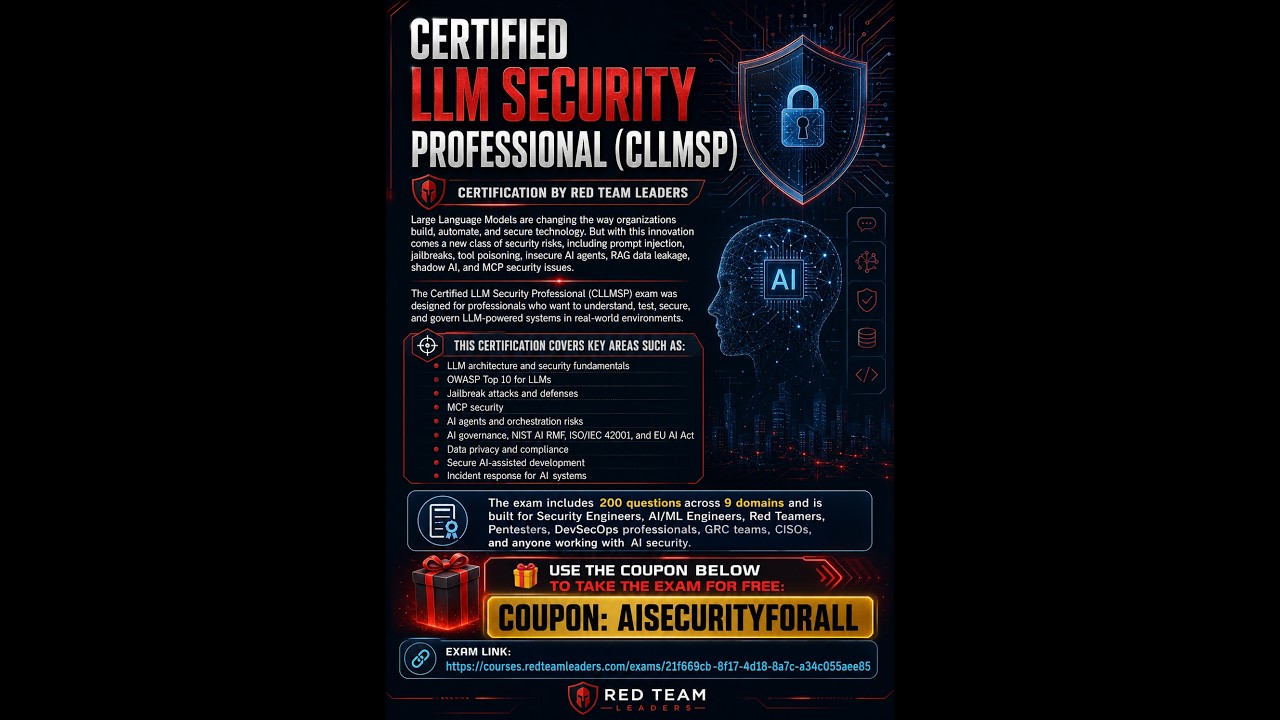
Certified LLM Security Professional (CLLMSP): 100% Free Exam Opportunity
cybersecmaison
107 views•2026-06-08

I Built a 24/7 Finance Analyst With Claude (Full Tutorial)
lukefinance100
302 views•2026-06-11

Apple gives Siri an AI makeover in bid to catch rivals
Reuters
5K views•2026-06-09

Gemma 4 26B A4B QAT vs non-QAT - 16GB Local LLM setup
lukesdevlab
389 views•2026-06-10

The Truth About PewDiePie’s AI (No Fluff)
DeepCantCode
264 views•2026-06-06